



Warning: Disc brake pads must be changed on both front wheels at the same time; never replace the pads on just one wheel, as this may cause unpredictable consequences when braking. The dust generated by the wear of the pads may contain asbestos, which is hazardous to health. Never blow it off with compressed air or inhale any of this dust. Do not use gasoline-based solvents to clean brake parts. Use only brake cleaner or ethyl alcohol.
Note: New caliper guide pin bolts will be required during installation.
1. Apply the parking brake, then raise the front of the vehicle with a jack and support it on stands (see "Lifting the car and placing it on supports"). Remove the front wheels.
2. Loosen the clamps and remove the brake pad wear sensor connector cover from the hole in the caliper.
3. Disconnect the connector from the caliper body (see fig. 4.3).
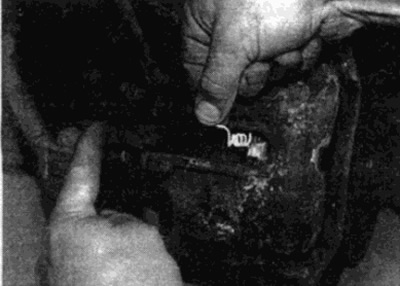
Fig. 4.3. Unfasten the cover and disconnect the brake pad wear sensor connector
4. On pre-1985 models, remove the top pin and rotate the caliper down.
5. On post-1985 models, loosen and remove the lower caliper pin bolt, using a thin open-end wrench to hold the pin from turning (see Fig. 4.5, a, b). Discard the bolt - a new one must be installed during installation.
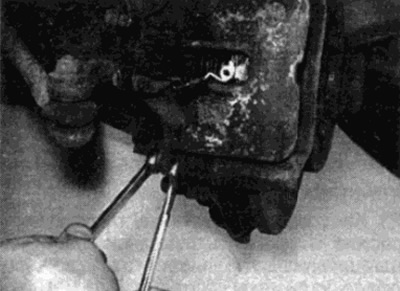
Fig. 4.5, a. Loosen the lower pin bolt while holding the pin with an open-end wrench...
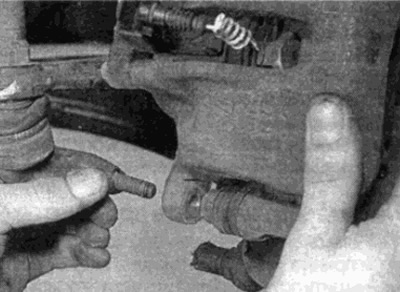
Fig. 4.5, b....then remove it from the support
6. Rotate the caliper forward away from the pads and support bracket. Remove the heat shield from the cylinder piston where required.
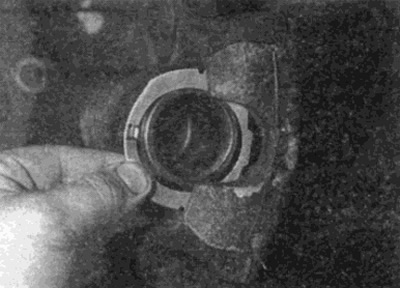
Fig. 4.6. Rotate the caliper away from the disc and remove the heat shield from the piston
7. Remove the two pads from the support bracket, paying attention to the correct position of the wear sensor (see fig 4.7, a, b).
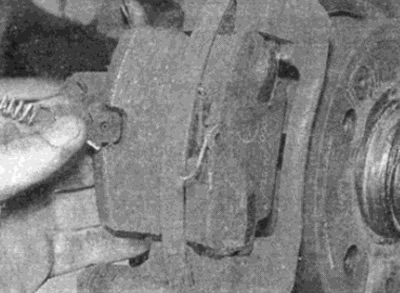
Fig. 4.7, a. Remove the inner...
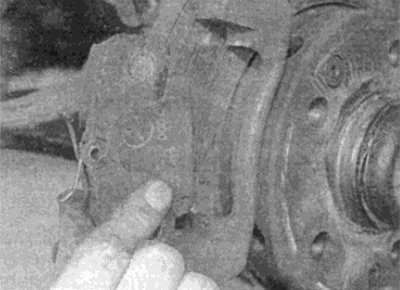
Fig. 4.7, b....and the outer pad from the caliper bracket
8. Measure the friction lining thickness on each pad. If any pad is worn beyond the specified limit, all four pads should be replaced. Pads should also be replaced if they are found to be oily. If any pad is unevenly worn or oily, the cause should be determined before replacement. Check the wear indicators. New sets of pads can be purchased from your Mercedes-Benz dealer.
9. If the pads are still usable, clean them thoroughly with a clean, fine-wire brush, paying particular attention to the side and back metal surfaces. Clean the grooves in the pads and pick up any large particles or debris. Thoroughly clean the pad area in the caliper body.
10. Before installing the pads, make sure that the guide pins fit easily into the caliper and that the rubber boots on the guide pins are not damaged. Remove all traces of locking compound from the pin threads using a tap of the appropriate size and pitch.
Tip: If Ves does not have the required tap, use an old bolt with a split groove on the thread to make the thread.
11. Brush away any dust or dirt from the caliper and cylinder, but do not inhale it as it is hazardous to your health. Check the cylinder dust boots for damage and for any visible signs of fluid leakage, corrosion or damage. If any are found, the caliper should be repaired - see paragraph 8.
12. When installing new pads, it is necessary to retract the piston of the cylinder to make room for the pads. Use a vice or a wooden object to press the piston as a lever. If the fluid level in the reserve tank exceeds the "MAX" mark, remove some fluid from the master cylinder reservoir to prevent overflow when you press the piston. You can use a syringe or the brake bleeding procedure (see paragraph 2).
Warning: Do not try to suck the liquid by mouth as it is highly poisonous; use a syringe.
13. Apply brake grease to the back of the pads (mercedes-Benz recommends using brake paste number 001 98910 51); do not apply too much paste so that it does not get on the friction linings.
14. Install the brake pad wear sensor (where it was filmed) and install the pads in the bracket with the friction linings facing the disc. Note that the pad with the wear sensor must be installed on the inside (see fig. 4.14).
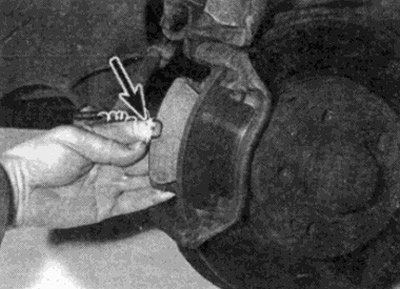
Fig. 4.14. When installing, make sure that the pad with the wear sensor (shown by arrow) installed from the inside
15. Install the heat shield onto the caliper piston, then rotate the caliper down on top of the pads, feeding the wires from the wear sensor through the hole in the caliper (see fig. 4.15).
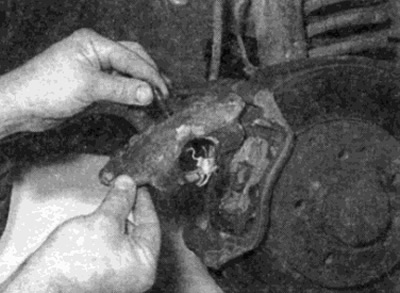
Fig. 4.15. Rotate the caliper into place, passing the wear sensor connector wire through the hole in the caliper
16. Check that the pressure springs are correctly positioned relative to the caliper body, then press down on the caliper and insert the new guide pin bolt (see fig. 4.16). Tighten the bolt to the required torque, holding the pin from turning with an open-end wrench.
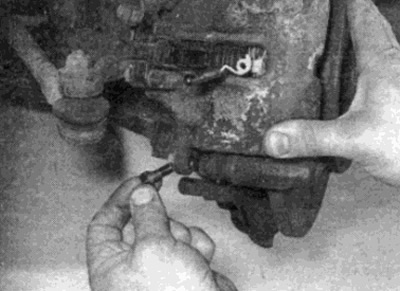
Fig. 4.16. Insert the new guide pin bolt
17. Connect the brake pad wear sensor connector to the caliper by wrapping the loose wire around the connector. Make sure the connector is properly connected and close the connector cap.
18. Press the brake pedal several times to press the pads against the brake disc and restore normal pedal pressure.
19. Repeat the steps on the remaining support.
20. Install the wheels, then lower the vehicle to the ground and tighten the wheel bolts to the required torque.
21. Check the fluid level as described in section "Weekly check". Check the brakes thoroughly before driving on the road.
Warning: New pads will not brake effectively until they have been bedded to the discs. Avoid hard braking as much as possible for the first few hundred kilometers.