



Contents: Menu 2 Audio ↡ Menu 3 Navigation system ↡ Menu 4 Fault memory ↡ Menu 5 Settings ↡ Menu 6 On-board computer ↡ Menu 7 Phone ↡
Menu 2 Audio
Selecting a radio station
Turn on the radio, see separate "Operating Manual".
Click on the button
 or
or  until you see the name of the already tuned radio station on the display.
The selection of preset radio stations is done using the buttons
 or
or  .
.
You can only enter new radio stations into memory using the radio receiver, see the separate "Operating Guide" for this.
You can control the radio as usual.
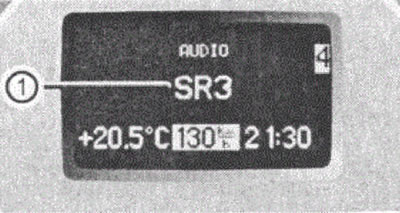
Figure 34 1. Radio station
Controlling the CD player
Turn on the radio and select the CD player (see separate "Operating Guide").
Press the buttons
 or
or  until you see the settings for the CD being played on the display.
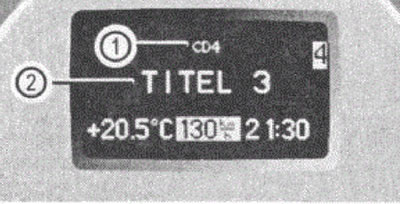
Figure 35
1. Current CD (for CD changer)
2. Current name
Click on the button
 or
or  until you find the desired title of the piece being played.
Menu 3 Navigation system
For information on how to activate target tracking, please refer to the separate "Operating Manual" for the COMMAND system or for the Audio 30 APS.
Menu 4 Fault memory
In the menu Fehlerspeicher (fault memory) you can display a list of the faults that have occurred.
The indication on the display depends on whether a malfunction has occurred or not.
Please note: The control system only registers faults and warnings for certain systems. So make sure your car is in good condition.
Click on the button
 or
or  until you see the FEHLERSPEICHER menu on the display.
If there are no faults
If there are no faults, the display shows the message KEINE STORUNGEN (there are no faults).
In case of malfunctions
When faults occur, the display shows the number of faults:
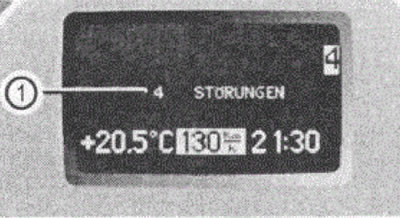
Figure 36 1. Number of faults
By pressing buttons
 or
or  you can view the error messages sequentially.
If you turn the ignition key back to position 1 or2, then the contents of the fault memory are erased.
Confirmation of malfunctions
If the malfunction occurs while driving or after you have turned the ignition key to the on position 1 or 2, then to confirm the message that appears on the display, press the buttons
 or
or 
Menu 5 Settings
The EINSTELLUNGEN (settings) menu contains a list of submenus with which you can make individual settings for your vehicle.
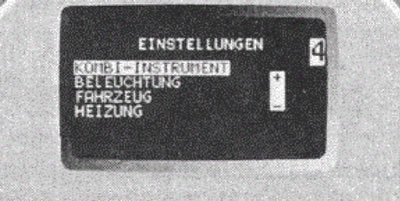
Figure 37
Submenu in the "Settings" menu
Actions
Click on the button
 or
or  . On the display you see a list of submenus.
Click on the button
 or
or  . The light strip is set to the next submenu. In this case, use the button
  you scroll down with the button
  you scroll up.
Within the submenu you set the light strip using the button
 or
or  into individual functions.
You make the settings yourself using the button
 or
or 
The list below shows what settings you can make in the individual submenus.
Submenu "Instrument cluster"
In the KOMBI-INSTRUMENT submenu (instrument cluster) you can set the type of indication on the instrument cluster. You can make the following settings:
- setting time;
- choice of temperature units;
- select units of measurement of speed;
- language selection;
- display selection.
Setting the time
Actions
Press the button
 or
or  until the submenu IMMEDIATELY is highlighted (setting time),
- Press the button
 or
or  until the menu 'NEXT TIME' appears on the display (setting the current hour indication).
Press the button
 or
or  until you set the desired value.
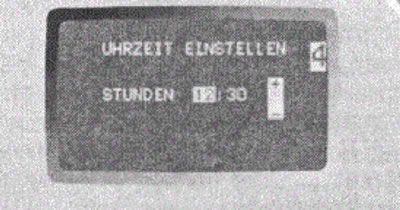
Figure 38
Actions
Click the button
 .
.
The menu TIME MINUTES appears on the display (setting minutes).
Press the button
 or
or  until you set the desired minutes value.
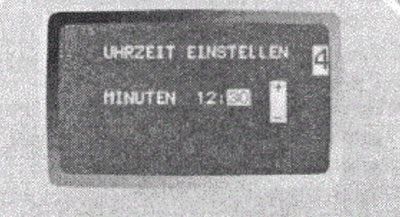
Figure 39
Selecting a temperature unit
Actions
Press the button
 or
or  until the TEMPERATURE SETTINGS submenu is highlighted (temperature indication).
Press the button
 or
or  until the TEMPERATURANZEIGE menu appears on the display (temperature indication).
The light strip is located on the operating installation.
Select using the button
 or
or  units of temperature measurement in degrees Celsius (°C) or degrees Fahrenheit (°F).
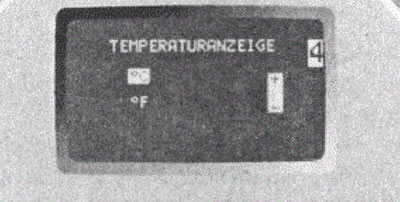
Figure 40
Select language
Actions
Press the button
 or
or  until the KOMBIINSTRUMENT submenu is highlighted (instrument cluster).Press the button
  or
or  until the TEXT menu appears on the display.
The light strip is located on the operating installation.
Select using the button
 or
or  the language in which the control system messages are to be displayed on the multifunction display. You can choose between the following languages:
- german;
- english;
- italian;
- french;
- spanish.
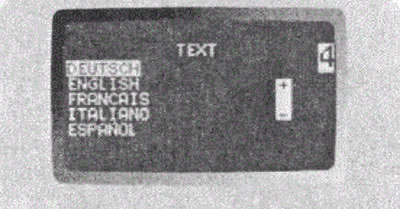
Figure 41
Selecting a display
With this setting you change the permanent indication in the lower left corner of the display.
Actions
Press the or button until the COM IN INSTRUMENT submenu is highlighted (instrument cluster).
Press the button
 or
or  until the DISPLAY AUSWAHL menu appears on the display (display selection).
The light strip is on the current installation.
Use the or button to select one of the two default display types:
- Speed (speed);
- AUSSENTEMPERATUR (outside air temperature).
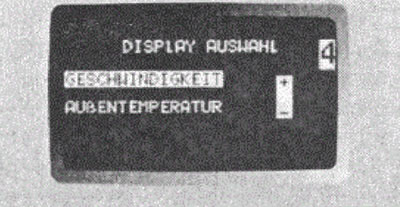
Figure 42
Submenu "Lighting"
In the BELEUCHTUNG (lighting) submenu you can set the operating mode of your vehicle's lighting.
You can perform the following settings:
- installation of permanently on headlights;
- installation of orientation lighting;
- switching off external lighting with time delay.
Setting the low beam headlights to be constantly on while driving
Actions
Press the button
 or
or  until the BELEUCHTUNG (lighting) submenu is highlighted.
Press the button
 or
or  until the LICHTSCHALTUNG FAHRLICHT menu appears on the display (turning on the headlights).
The light strip is located on the operating installation.
- Select using the button
 or
or  , whether you want to make the headlights turn on automatically or change the switching mode manually. This option is not possible in countries where driving with headlights on at all times is required by law.
If you have set the headlights to be permanently on and the light switch is set to 0, then when the engine is running, the exterior lighting and low beam headlights are automatically turned on.
If you turn the light switch to a different position, the corresponding light turns on.
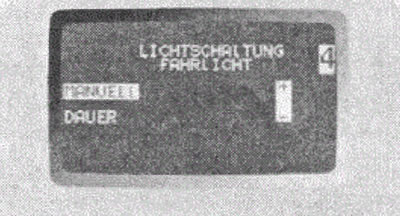
Figure 43
Installation of orientation lighting
If you turn on the orientation light, then in the dark after unlocking the car with the key the following will turn on:
- side lights;
- fog lights.
The orientation light turns off if you:
- open the driver's door;
- insert the key into the ignition;
- lock the car with the key.
The orientation light turns off automatically after 40 seconds.
Actions
Press the button
 or
or  until the BELEUCHTUNG (lighting) submenu is highlighted.
Press the button
 or
or  until the AUFFINDBELEUCHTUNG menu appears on the display (orientation lighting).
The light strip is located on the operating installation.
Select using the button
 or
or  required value.
Orientation lighting will be turned on or off.
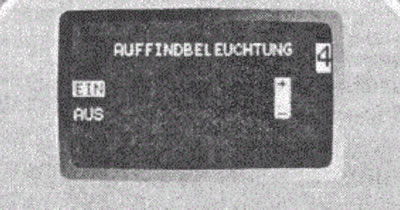
Figure 44
Turning off outdoor lighting with time delay
With the help of the function SCHEINWERFER-AUF-SCHALTUNG (headlights off) you can set whether and how long the outside light should stay on after the engine is turned off.
If you have set the time delay lighting switch-off function, then after the engine is switched off the following lights will be on:
- side lights;
- rear side lights;
- fog lights.
You can reactivate this function within 10 minutes by opening the door.
If you do not open any of the doors after removing the key, the light will turn off after 60 seconds.
Actions
Press the button
 or
or  until the BELEUCHTUNG (lighting) submenu is highlighted.
Press the button
 or
or  until the SCHEINWERFER-AUFSCHALTUNG menu appears on the display (headlights off).
The light strip is located on the operating installation.
Select using the button
 or
or  the time after which the light should be turned off.
In this case, you can choose:
- 0 seconds: Time delay light off function is disabled;
- 15,30,45 or 60 seconds during which the time delay lighting is on.
You can temporarily switch off the timed lighting function by turning the ignition key to position 0, then turning it to position 2 and then back to position 0 or 1.
The time delay light off function will be disabled. The next time you turn off the engine, it will turn back on.
Figure 45
Submenu "Car"
Setting the radio tuning mode in AUDIO mode
Using the SUCHLAUF function, IM AUDIOMODUS IS INSTALLED (setting up radio station search in audio mode) you can set what function the button will have
 or
or  when searching in the AUDIO menu.
Actions
Press the button
 or
or  until the FAHRZEUG submenu is highlighted (automobile).
Press the button
 or
or  until the TASTENDRUCK IN AUDIOMODUS menu appears on the display (pressing the button in AUDIO mode).
The light strip is located on the operating installation.
Using the buttons
 or
or  you can choose one of two options:
- FREQUENZ (frequency) (search for radio station in frequency range);
- SPEICHER (memory) (select the next stored radio station).
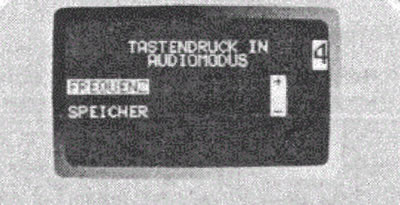
Figure 46
Trailer Theft Warning
This feature allows you to turn the trailer theft warning on and off.
Actions
Press the button
 or
or  until the FAHRZEUG submenu is highlighted (automobile).
Press the button
 or
or  until the D1EBSTAHLWARNUNG ANHANGER menu is highlighted (trailer theft warning).
The light strip is located on the operating installation.
Turn on (EIN) or off (AUS) using the button
 or
or  trailer theft warning function.
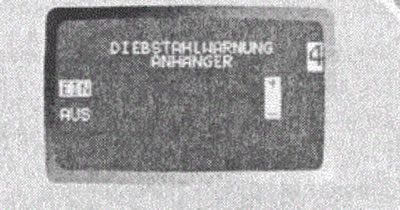
Figure 47
Setting up a key dependency
This function specifies whether the stored settings for the front seats and other control system settings should be remembered depending on the key position.
Actions
Press the button
 or
or  until the FAHRZEUG submenu is highlighted (automobile).
Press the button
 or
or  until the EINSTELLUNGEN SCHLUSSELAB-HANGIG menu is highlighted (settings depending on the key).
The light strip is on the current installation.
Turn on (EIN) or off (AUS) using the button
 or
or  function of setting the key dependency.
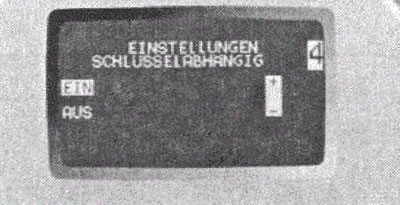
Figure 48
Submenu "Heating"
Function - setting the on time
You will only see the HEIZUNG (heating) submenu if your vehicle has an independent heating system.
Menu 6 On-board computer
In the REISERECHNER menu (on-board computer) you can display your vehicle's statistics on the display. The following information is available to you:
- consumption statistics since engine start;
- consumption statistics since the last reset.
Fuel consumption statistics since start
Actions
Press the button
 or
or  until the REISERECHNER menu appears on the display (on-board computer).
Press the button
 or
or  until the following image appears on the display.
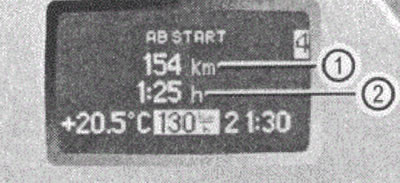
Figure 49
1. Distance in km traveled since the engine was started.
2. Time elapsed since the engine was started.
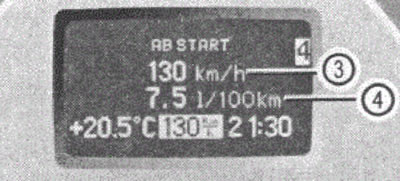
Figure 50
3. Average speed from the moment the engine was started,
4. Average fuel consumption from the moment the engine was started.
Fuel consumption statistics since last reset
Actions
Press the button
 or
or  until the REISERECHNER menu appears on the display (on-board computer).
Press the button
 or
or  until the AB RESET menu appears on the display (since reset).
Press the button
 or
or  until the following image appears on the display.
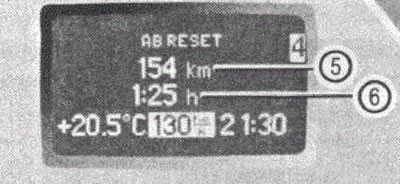
Figure 51
5. Distance in km traveled since the last reset
6. Time elapsed since the last reset
If you repeat the on-board computer query, first call up the last requested function on the display. If you turn the ignition key to position 0 or remove it, all values relating to the last engine start are reset after approximately four hours. If you turn the ignition key to position 1 or 2 again during this time, these values are not reset.
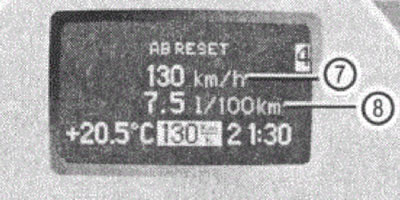
Figure 52
7. Average speed since last reset
8. Average fuel consumption since last reset
Menu 7 Phone
With the TEL (telephone) menu functions you can use your telephone if you have connected it to the speakerphone and switched it on.
Depending on the state of your phone, different messages will appear on the display:
- if the phone is switched off, the message TEL AUS is displayed on the multifunction display (phone off.);
- if you have not yet entered the PIN code number, the display will show the message TEL PIN (enter phone PIN code).
- enter the PIN code via your phone.
The phone is searching for a network. During this time, there is no indication on the display.
Once the phone finds a network, a corresponding message will appear on the display.
Once this ready-to-use message appears, you can use the phone through the control system.
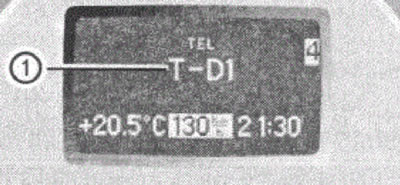
Figure 53
1. Network operator
Receiving a telephone conversation
If your phone is ready for use, you can accept a call at any time. The following message is displayed on the display:
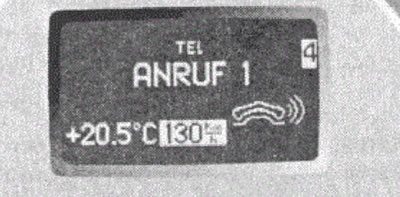
When you press the button
 the conversation will be accepted. When you press the button
  the conversation will be ended.