



Attention! Self-locking fasteners must be replaced!
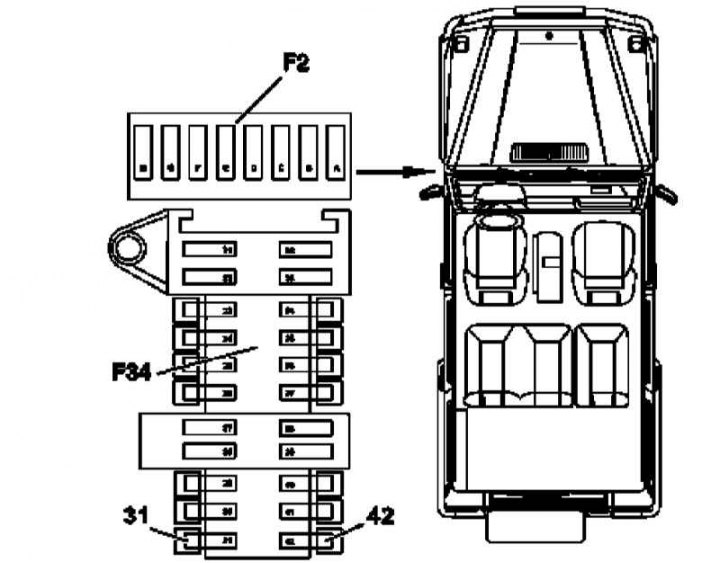
Instrument cluster installation details (1 of 12)
31 - EIS/EZS fuse; 42 - Instrument cluster fuse; F34 - Fuse box assembly
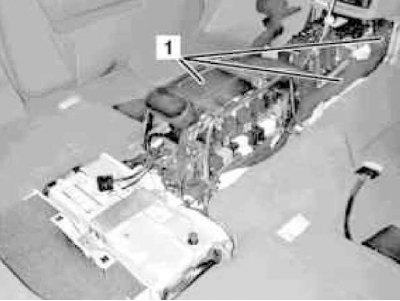
Instrument cluster installation details (2 of 12)
1 - Air ducts
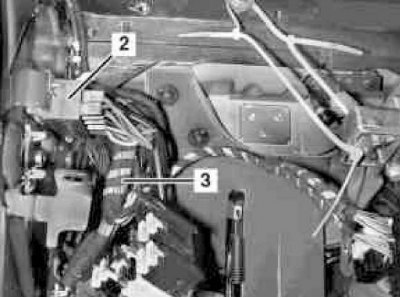
Instrument cluster installation details (3 of 12)
3 - Console Wiring Harness
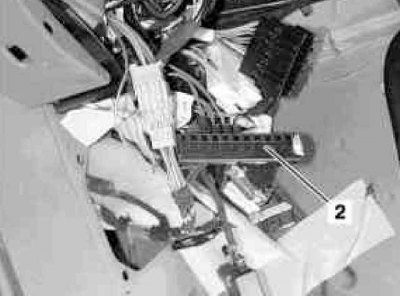
Instrument cluster installation details (4 of 12)
2 — Potential equalization block
Instrument cluster installation details (5 of 12)
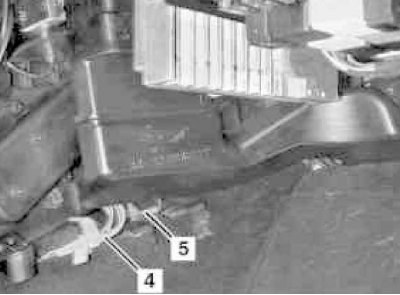
4 - Connecting electrical wiring
5 — Grounding/shielding terminals
Instrument cluster installation details (6 of 12)
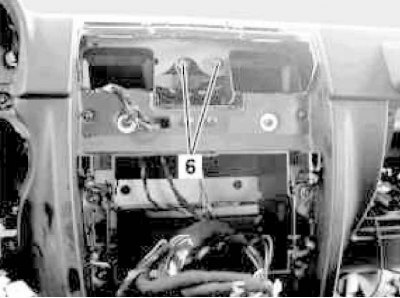
6 - Central mounting screws
Instrument cluster installation details (7 of 12)
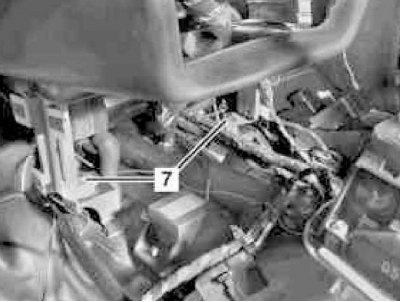
7 - Mounting screw
Instrument cluster installation details (8 of 12)
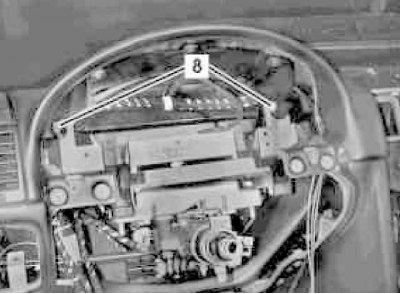
8 - Mounting bolt
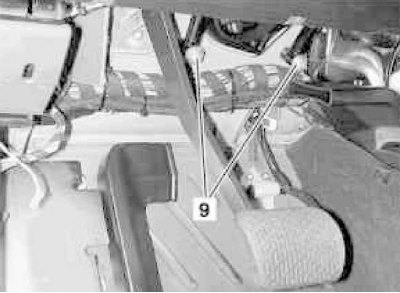
Instrument cluster installation details (9 of 12)
9 — Fastening nut
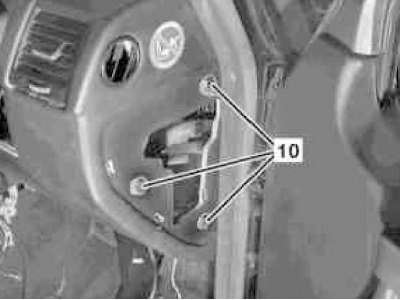
Instrument cluster installation details (10 of 12)
10 - Mounting screw
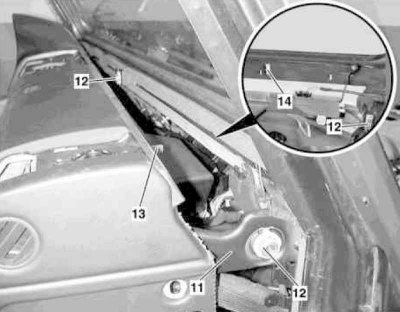
Instrument cluster installation details (11 of 12)
11 - Mounting bracket; 12 - Regulator; 13 - Pin; 14 - Groove
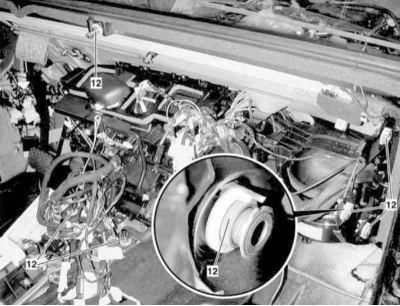
Instrument cluster installation details (12 of 12)
12 — Regulator
1. On models with the corresponding configuration (code ET2), activate the service mode of the TELE AID emergency call system (see Section Activation/deactivation of the service mode of the TELE AID emergency call system).
2. Disconnect the negative cable from the battery.
3. Remove the left lower section of the instrument panel trim (see Section Removal and installation the left lower section of the instrument panel trim).
4. Remove the electrically adjustable steering column (see Chapter Suspension and steering).
5. Remove the left instrument panel cover.
6. Remove the fuses for the electronic ignition switch (EIS/EZS) (31) and the instrument cluster (42) from the fuse box (F34).
7. Remove the AT control modules (ETC) and, - on models with the corresponding configuration (eT code, except 463.246/249), - TELE AID emergency call systems (see Chapter On-board electrical equipment).
8. Remove the three heating/ventilation air ducts located under the center console (1).
9. Disconnect the console harness connectors (3) from the driver's footwell wiring - try to remember the installation positions of the connectors, as well as the harness routing routes.
10. In the driver's footwell, remove the connectors from the potential equalization block (2).
11. Disconnect the CAN data bus ground and shield terminals from the ground point at the base of the left A-pillar.
12. Remove the front ashtray (see Section Removal and installation the front ashtray).
13. Remove the instrument panel console section trim panel (see Section Removal and installation the trim panel of the console section of the instrument panel).
14. Remove the loudspeaker mounted in the central part of the instrument panel (see Chapter On-board electrical equipment).
15. Remove the radio receiver (see Chapter On-board electrical equipment).
16. On models with the corresponding equipment (code ET4), remove the assembly of the multifunction display/COMAND control module (see Chapter On-board electrical equipment).
17. Mark the installation positions of the electrical connectors in the recesses in the center of the instrument panel.
18. Remove the right instrument panel cover.
19. Remove the glove box assembly (see Section Removal and installation the glove box).
20. Remove the right lower instrument panel cover (see Section Removal and installation lower instrument panel covers).
21. Disconnect the electrical wiring (4) from the potential equalization block/CAN data bus distributor under the A/C evaporator housing - try to remember the wiring harness routes.
22. Disconnect the grounding and shielding terminals (5) from the grounding point - again try to remember the routes of the harnesses.
23. Unscrew the central bolts (6) securing the instrument panel assembly to the engine compartment bulkhead.
24. Remove the bolts (7) securing the instrument panel to the transmission line tunnel.
25. Unscrew the bolts (8) securing the steering column housing bracket in the upper part of the engine compartment bulkhead - the bolts are located under the instrument panel mounting bracket.
26. Loosen the nuts (9) securing the steering column housing bracket to the engine compartment bulkhead in the driver's footwell - if necessary, lock the heads of the counter bolts on the engine side from turning.
27. Remove the screws (10) (three on the right and three on the left) fastening the mounting bracket (11) of the instrument panel.
28. Remove the instrument panel by pushing it upwards and turning it; if necessary, use the help of an assistant.
29. Installation is carried out in the reverse order - if the corresponding configuration (code ET2) is installed, deactivate the service mode of the TELE AID system (see Section Activation/deactivation of the service mode of the TELE AID emergency call system).
30. Finally, read the DTC codes and clear the on-board diagnostic system memory using the STAR DIAGNOSIS scanner (6511 1801 00) (See Chapter Engine electrical systems).