



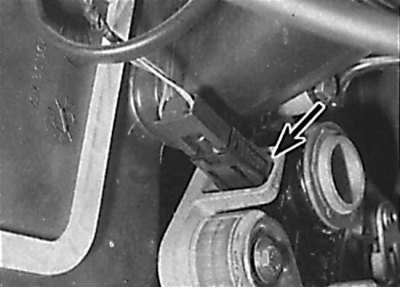
Location of the parking brake indicator light switch
1. Lift up the floor mat, then unscrew the mounting screws and remove the covering located around the pedals.
2. Remove the hood release lever mounting screw and lever from the driver's side instrument panel lower trim and disconnect the hood release cable from the lever. Remove the screws securing the parking brake lever to the instrument panel.
3. Carefully remove the ignition switch trim panel.
(Read more on the website: «Mercedesman.ru»)
4. Remove the screws and driver's side lower instrument panel trim. Disconnect the cable from the rear of the parking brake release lever and remove the trim panel and lever.
5. Under the instrument panel, disconnect the electrical connector from the parking brake indicator switch (see picture).
6. Release the clips and remove the parking brake indicator switch.
7. The switch is installed in the reverse order of removal.