



Contents: Removal ↡ Installation ↡
Removal
1. Remove the rotor and dust shield.
2. Remove the vacuum ignition timing regulator.
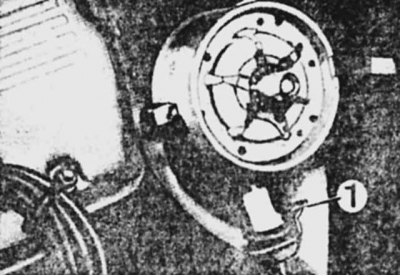
3. Remove the mounting bracket 1 and carefully pull out the carrier disk in a straight line.
Internal view of the distributor sensor
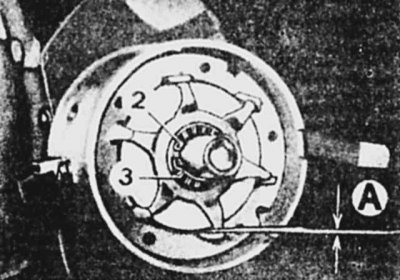
4. Turn the rotor so that its teeth coincide with the stator teeth and measure the gap "A", which should be equal to 0.35-0.70 mm.
5. Remove retaining ring 2.
6. Remove spacer ring 3.
7. Carefully remove rotor 4 using two screwdrivers inserted from opposite sides, after first removing key 5.
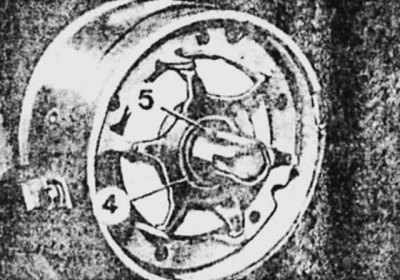
8. Remove the thrust washer
9. Remove the three screws securing the proximity sensor bracket (shown by arrows).
10. Remove retaining ring 6.
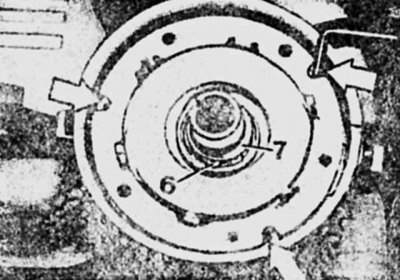
11. Press the fastening brackets and remove the bracket with the contactless sensor.
12. Remove the proximity sensor from the bracket.
Installation
The installation of a new contactless sensor is carried out in the reverse order of removal, taking into account the following:
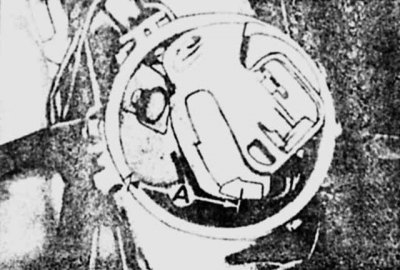
When installing the distributor sensor, maintain dimension "A" of 3.5 cm between the mark on the housing and the rotor.
1. Direct the teeth of the sensor screen towards the cutout on the carrier disk.
2. When installing the rotor, align the cutout of its sleeve with the groove of the shaft.
3. When installing the vacuum regulator, turn the stator to the left.