



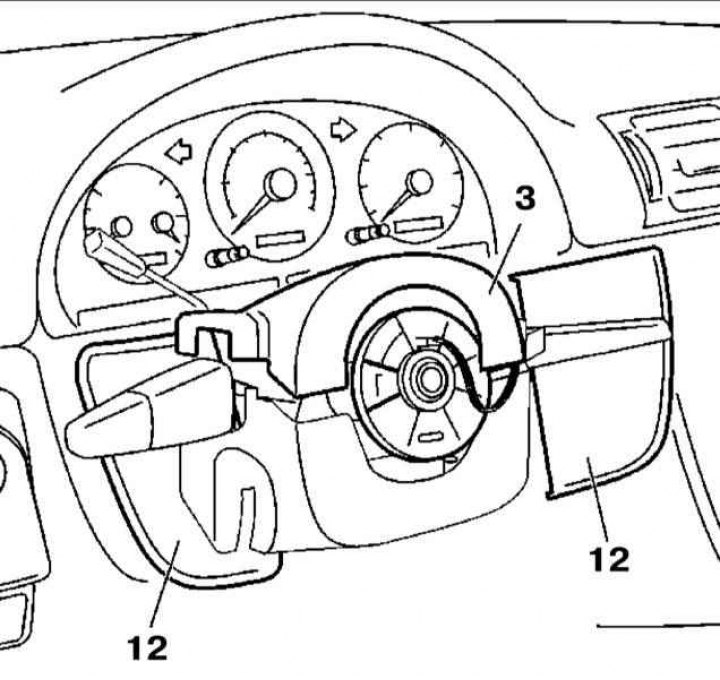
Instrument cluster installation details
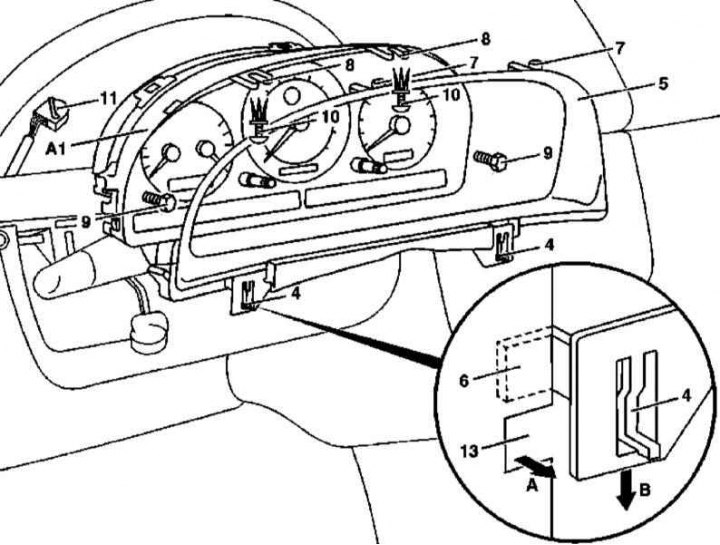
Instrument cluster installation details
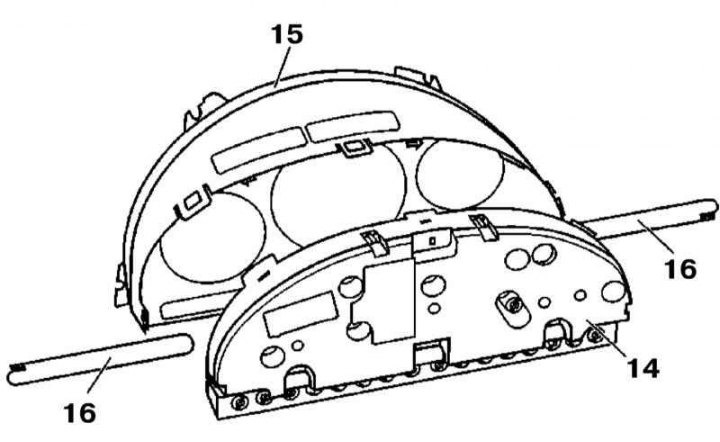
Instrument cluster cover installation details
16 - Films with symbols
1. The details of the installation of the components of the instrument cluster are shown in the illustrations to which all references in the text refer.
2. Disconnect the negative cable from the battery.
3. Unlock the steering column and lower it to its lowest position.
4. Remove the upper section (3) of the steering column cover - if so equipped, release the side and front clamps, then gently squeeze the cover and separate it from the instrument panel.
5. Using a suitable wedge, pry off the clips and remove the side trim panels (12).
6. Press the latches (4) outward (arrow A) and pull them down (arrow B) to remove the frame (5) of the instrument cluster trim.
7. Remove the screws (9).
8. Remove the clamps (10).
9. Pull the instrument cluster assembly (A1) forward and disconnect the electrical wiring connector (11), first releasing its retainer.
10. Remove the instrument cluster (A1).
11. If necessary, release the clamps and remove the cover (14) from the combination casing (15).
12. Installation is carried out in the reverse order - ensure that the odometer and clock adjustment buttons are seated correctly. When seating the frame (5), insert the hooks (6) into the mounting bracket (13) and, pressing the frame upwards, ensure that the locks snap securely into place - the tongues (7) must fit into the receiving sockets of the brackets (8) of the combination (A1).