



Removal
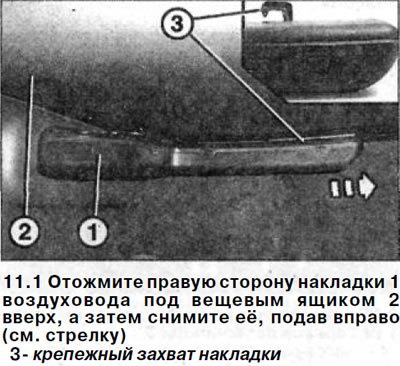
1. Press the right side of the air duct cover 1 under the glove compartment 2 upwards, and then remove it by pushing it to the right (see arrow in illustration).
2. Remove the side seal from the footwell cover.
3. Remove the plug in the covering on the side of the footwell and unscrew the screw underneath.
4. Remove the covering from the side of the footwell by prying it off with a plastic wedge.
5. Unscrew the glove box mounting bolt located under the cover.
6. Unscrew the lower bolts 4 and 5 securing the glove box (see illustration).
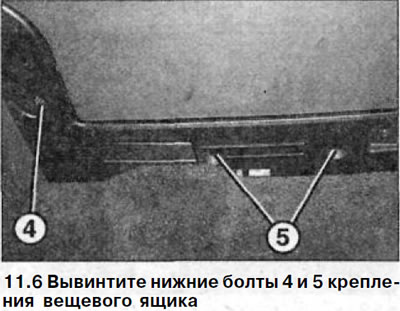
Please note: Bolts 5 are not available on all models.
7. Unscrew the bolts 6 at the top of the box (see illustration).
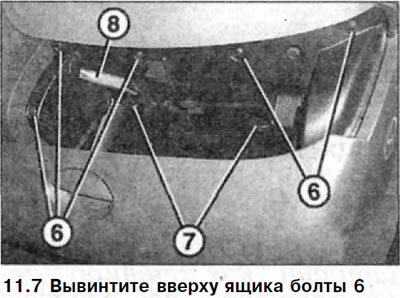
8. Rotate the rotary clamps 7 by 90° (see illustration 11.7).
9. Lower the glove box enough to be able to disconnect the plug of the glove box light 8 (see illustration 11.7).
10. Remove the glove box.
The installation of the glove box is carried out in the reverse order of removal.
When installing, ensure that the guide is correctly positioned on the center console.